
Here’s the thing about your OCI card: it’s a lifetime visa, but it’s not a “set it and forget it” document. I’ve seen too many people get a new passport, pack their bags for a trip to India, and then face a huge headache at the airport. Why? Because their OCI card was still linked to their old, expired passport. The rules have changed a few times, creating a lot of confusion, but the current process is simpler than it’s ever been.
This isn’t just about completing a form; it’s about ensuring your travel remains smooth and stress-free. This guide will help you to know how to link OCI with new passport in India and more.
Read Also:- How to Apply for OCI Card in USA: Complete Process (2026)
Why you need to link OCI with a new passport?
An OCI card is technically tied to the passport number mentioned on it. When you get a new passport, that link is broken. While Indian immigration has become more lenient, especially with the newer online update system, you’re still relying on the discretion of an immigration officer.
Here’s why you should never skip this step:
- It’s the Official Requirement: The Government of India requires you to keep your passport details updated in their system. It’s part of the terms of holding an OCI.
- Avoid Airline Issues: Some airlines are notoriously strict; they might refuse to board you if they see a mismatch between your OCI and your current passport, fearing they’ll be fined for transporting a passenger with improper documentation.
- Smooth Immigration: An updated OCI means a quick, seamless entry into India. An officer won’t have to spend extra time verifying your old passport details, which is the last thing you want after a long flight.
Who needs to update OCI details?
This is where most of the confusion lies. The rules are based on your age when you got your new passport. Let’s break it down simply.
- For OCI Cardholders 20 Years of Age or Younger: You must get your OCI card reissued every time you get a new passport. This is non-negotiable. It’s because a person’s appearance changes significantly during these years.
- For OCI Cardholders Between 21 and 49 Years of Age: You do not need to get a new OCI card reissued. You just need to upload a copy of your new passport and a recent photo online. This is a simple update, and it’s free of charge (gratis service).
- For OCI Cardholders 50 Years of Age or Older: You need to get your OCI card reissued once you get a new passport issued after your 50th birthday. After you’ve done this one-time re-issuance, you don’t have to do it again for any subsequent passport renewals.
Expert Tip: Even if you fall in the 21-49 age group where only an online upload is needed, always carry your old passport (the one linked to your OCI) along with your new one, just in case. It’s a simple backup that can save you from a lot of trouble.
Documents required for OCI passport update
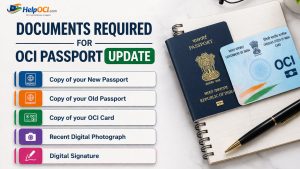
Before you even think about starting the application, get your documents scanned and ready. This is where most people get stuck. The government portal is very particular about file sizes and formats.
Here’s your checklist:
- Copy of your New Passport: The page with your photo and details.
- Copy of your Old Passport: The page with your photo and details.
- Copy of your OCI Card: The first page with your photo and the last page with the “U” visa sticker details.
- Recent Digital Photograph: Must be 51×51 mm (2×2 inches), with a light-colored background (not white), and show your full face. No shadows.
- Digital Signature: Sign on a blank piece of paper with a dark pen, scan it, and crop it.
How to link OCI with new passport?
So its time to know the actual point of this blog- How to link OCI with new passport.
Visit the Official OCI Website
First, go to the official website: `https://ociservices.gov.in/`. Be careful—there are many fake sites out there that look similar, double-check the URL. Once you’re there, look for “OCI Miscellaneous Services.”
Fill in the OCI Update Form
You’ll need your old passport number and your OCI card number (or the OCI file number starting with ‘USA…/CAN…/GBR…’). The system will pull up your existing details.
You will be asked to select the reason for the update. Choose the option related to “Issuance of new passport, fill in your new passport details accurately, number, date of issue, and date of expiry. Triple-check everything before moving on.
Upload Required Documents
This is the step we prepared for, you’ll see upload slots for each document. Upload the correctly formatted and sized files one by one. The website can be a bit slow, so be patient, if an upload fails, it’s almost always a file size or format issue.
Submit the Application
Once all documents are uploaded, you’ll review the application. If everything looks correct, submit it. You will receive an acknowledgement with a temporary application ID. A final application reference number will be sent to your email within a few hours or a day. Save this number—you’ll need it to check your status.
Fees for linking OCI with a new passport
The cost depends on your situation:
- For the 21-49 age group (simple online update): It’s a gratis service, meaning it’s completely free.
- For mandatory re-issuance (under 20 or over 50): There is a fee. In India, it’s around ₹1,400. If applying from abroad, it’s approximately US$25 or its equivalent in local currency, plus any service charges from the application center (like VFS Global).
Common mistakes to avoid when linking OCI with a new passport
Here are the common mistakes to avoid when linking OCI with new passport.
- Incorrect Photo/Signature Specs: This is the 1 reason for rejection. Don’t use a selfie or a cropped holiday photo. Go to a professional or use an app that specifically formats passport photos.
- Choosing the Wrong Service: Make sure you select “OCI Miscellaneous Services,” not “New OCI Registration.” Applying for a new OCI by mistake will cause delays and confusion.
- Ignoring File Size Limits: The portal won’t accept files that are too large. Don’t just assume your scans are fine; check the file properties before you start.
- Forgetting to Submit: Filling out the form and uploading documents isn’t enough, you must click the final submit button and get a confirmation reference number.
How to check OCI update status?
You can track your application on the same OCI portal. Go to “Enquiry” or “Status Enquiry.” You’ll need your passport number and the application reference number you received via email.
The status will move through stages like “Under Process,” “Processed,” and finally, “Dispatched.” For the free online update, the status will eventually show that your details have been updated in the system. For re-issuance, it will tell you when the new OCI card is ready for collection or has been mailed.
CONCLUSION- How to link OCI with new passport.
The process to how to link OCI with new passport has been streamlined significantly. What used to be a mandatory, and often cumbersome, re-issuance process for everyone is now a simple online task for most adults. The key is to pay close attention to the details—age rules, document specifications, and file sizes. Get those right, and the process is straightforward.
The Indian government is moving towards integrated digital identities. It’s not a stretch to imagine a future where the OCI is a fully digital credential, automatically linked to your passport renewals through international data sharing, making this manual update process obsolete. But for now, follow the steps we’ve laid out, and you’ll be fine. Don’t let a simple administrative task get in the way of your travels.
FAQS- Link OCI with new passport
How long does the OCI update process take?
For the free online upload (ages 21-49), it’s usually processed within 2-4 weeks. You’ll get an email confirmation. For a full re-issuance of the OCI card (for those under 20 or over 50), the process is longer and can take anywhere from 6 to 10 weeks, depending on the workload at the mission/consulate.
Do I need to carry my old passport when I travel to India?
Yes, absolutely. Until your OCI details are officially updated online or you receive a new OCI card, you must carry the old passport mentioned on your OCI card along with your new passport. This is your proof that you are the legitimate holder of the OCI.