

OCI Miscellaneous
How to Pay the OCI Late Fee for New Passport Updates (2026 Guide)How to Pay the OCI Late Fee for New Passport Updates (2026 Guide)
Here is the Following process to follow for gratis Service:
Step 1: Click on OCI Services on the HelpOCI homepage.
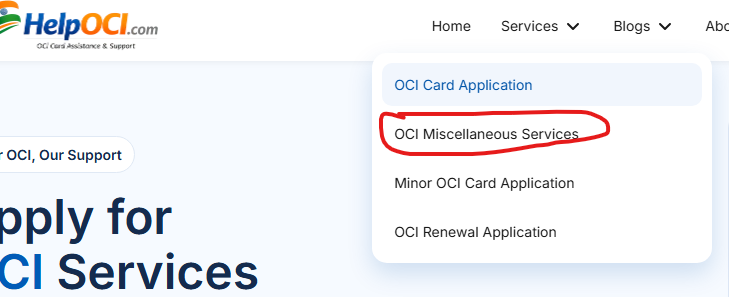
Step 2: Select OCI Miscellaneous Services from the available options.
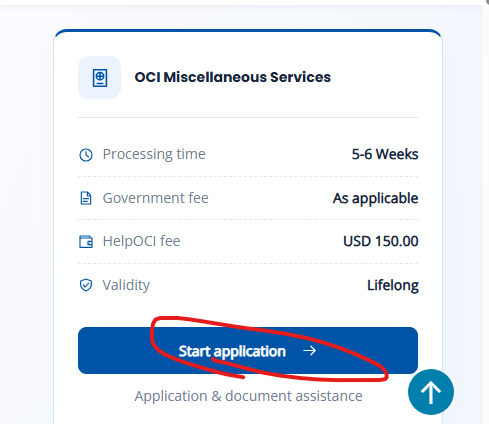
Step 3: Click on Start Application to begin the process.
Step 4: Choose your required service
Step 5: Choose gratis service if you want to update passport and then enter your details.
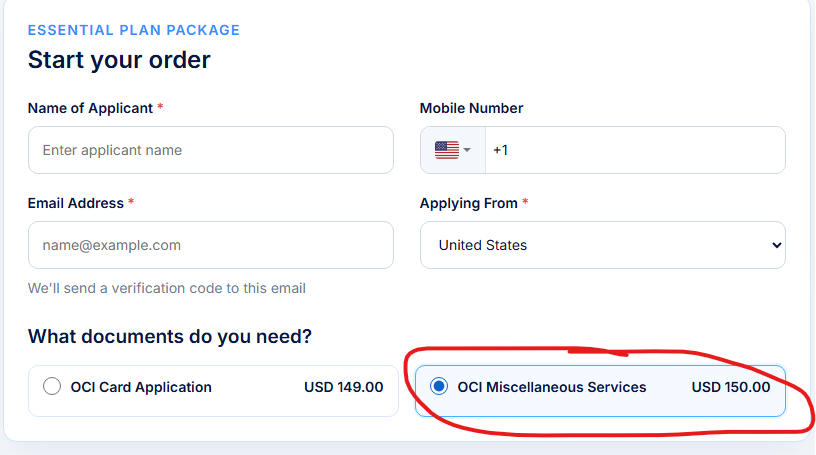
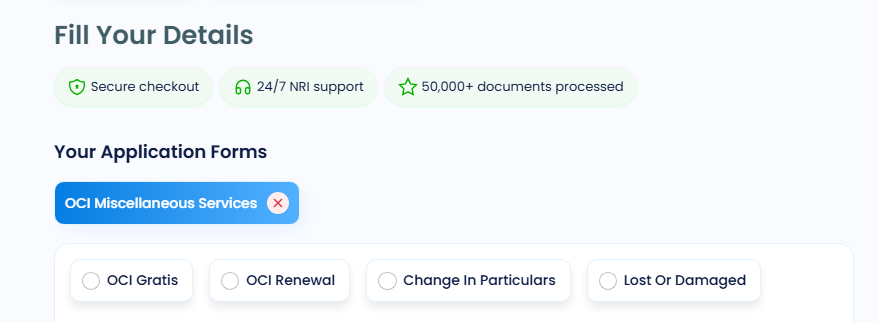
Step 6: Proceed to the payment section.
Step 7: Upload your required documents and enter your OCI card details.
Step 8: Once you have submitted your details and documents, our HelpOCI team will take care of the remaining process and assist you with your OCI passport update.
For More detail You can Contact Us.
Note: This guide is for information purposes only. HelpOCI or the author will not be responsible for any direct or indirect loss incurred by the reader for taking any decision based on the information or the contents. It is advisable to consult a qualified professional for guidance based on your exact situation.
Anil is an NRI documentation and immigration specialist at HelpOCI, a trusted platform dedicated to simplifying OCI, PAN, Visa, Passport, and NRI-related services for applicants worldwide. With extensive expertise in Indian consular services, overseas documentation, OCI applications, PAN card services, visa assistance, passport renewals, and NRI compliance, Anil is committed to making complex government procedures easier to understand and navigate. By combining in-depth research with official government guidelines, Anil creates practical, accurate, and easy-to-follow resources that help applicants complete their documentation confidently and efficiently See Full Bio
Get reliable support for every step, whether it's form filling or final submission.




Want to read more? Explore Blogs
Comments